Structural Segmentation
Separates the prompt into distinct regions so instructions, provided information, and user input are interpreted by their designated purpose.
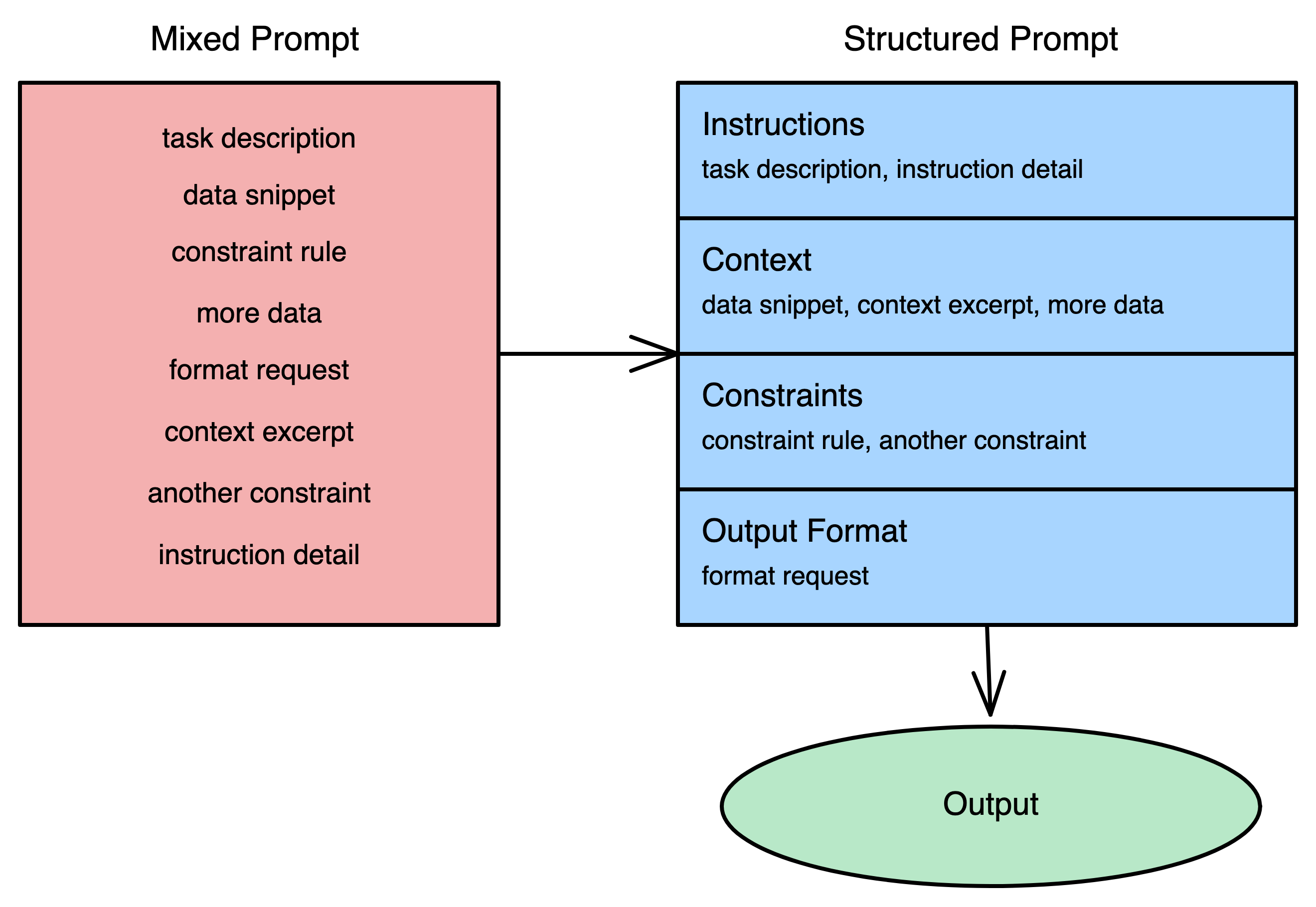
Problem
Mixed instructions, data, and examples in one stream make role boundaries ambiguous, causing instruction/input bleed and unstable behavior.
Solution
Split prompts into explicit labeled regions (instructions, input, constraints, examples) and isolate untrusted text as data. Role-boundary clarity removes interpretive guesswork and improves containment against prompt-like content in inputs.
Example
One worked example. The book has 2–4 per technique.
Instructions:
Summarize the customer message in one sentence. Ignore the feature request.

Input:
Our data import has been stuck for two days and no records are appearing in the dashboard. This is blocking our go-live. Also, it would be great if you could add CSV export to the reporting page.
The customer reports a stalled data import that has been blocking their go-live for two days with no records appearing.
Techniques
Concrete ways to implement Structural Segmentation. Each technique fits a different situation.
- 01
Region Labeling
Divide the prompt into named sections with clear boundaries so the model interprets each region according to its intended role.
- 02
Data Isolation
Enclose untrusted input in distinctive boundary markers so instruction-like language inside it is treated as data, not commands.

Full treatment in the book
Structural Segmentation — the complete chapter
- ▸ Mechanism — why this pattern works
- ▸ 2–4 worked examples per technique
- ▸ Placement, sequencing, and debugging rules
- ▸ Composition with related patterns